
The fastest way to judge a coding tool is to ask it a real question. You can do that in Unstoppable Code in a browser, without an account: open the web app, type, and send.
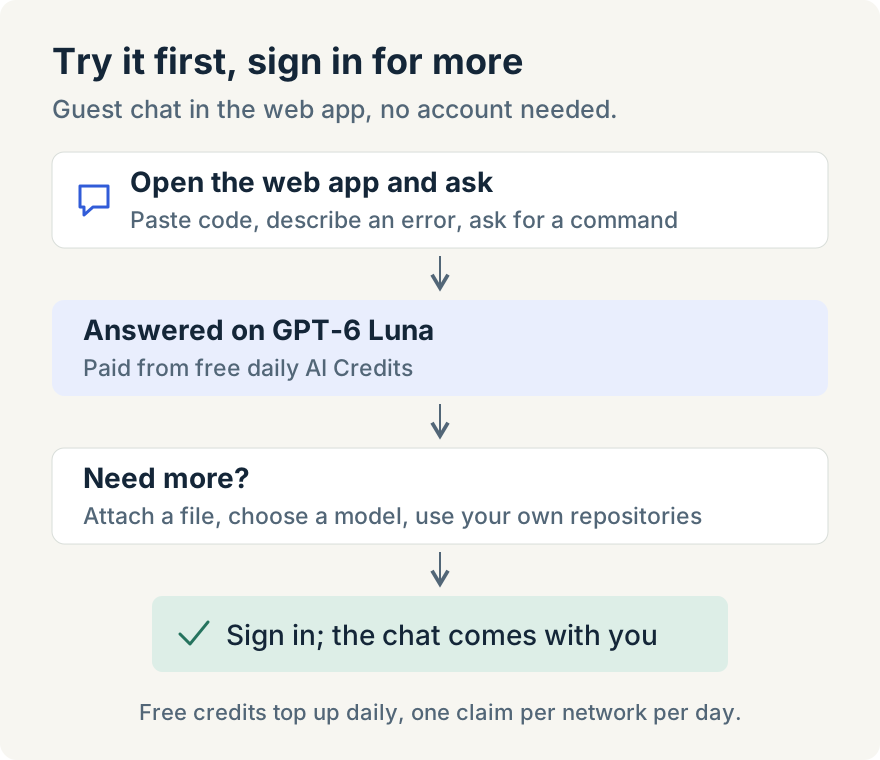
I worked on what guests get. Guest chats now run on GPT-6 Luna, and a new guest's first message is paid from free daily AI Credits, so it goes through instead of stopping at a credits prompt.
I wanted the first answer a new visitor gets to come from a current model, without a form in the way. One real question tells you more about a tool than its homepage does, and if the answer isn't useful, you've lost a minute rather than an afternoon of setup.
What a guest can do
Ask the kind of question you'd ask a colleague: paste a function and ask why it fails, ask for a shell command you can never remember, or have it explain an error message. On a phone, there are suggested prompts to start from. Each chat appears in the sidebar, so you can go back to it.
What signing in adds
Some things need an account, and the app says so when you reach them:
- Choosing a model. The model chip shows GPT-6 Luna; selecting it asks you to sign in.
- Attaching files. "Sign in to add files."
- Your own repositories, and your chats on every device. That's what the "Create a free account" card in the sidebar offers.
When you sign in, the chat you were in comes with you, so you don't start again.
Limits
- One model for guests on the web, GPT-6 Luna, with no attachments.
- Free daily AI Credits top up once a day; they don't build up. When they run out, the chat says "You're out of AI credits" and when they refill.
- One claim per network per day. If someone else on the same network has already used today's free credits as a guest, you may have none until the next day.
- This is the browser. The desktop app is where agents work in your own repositories; see Introducing Unstoppable.ai for how the desktop and web apps fit together.
For how AI Credits work once you have an account, including using your own Claude or Codex subscription, see AI credits and usage limits.