
Agents can run on your own Claude or Codex account and on AI credits. This article explains the difference and what to do when you reach a limit.
Two kinds of usage
- Provider usage comes from your own Claude or Codex subscription. The provider sets those limits and resets them on its own schedule. See Bring your own subscription.
- AI credits belong to your Unstoppable Code account. You can use them to keep working when a provider limit runs out. Plans and credit options are on the pricing page.
Check your usage
Open the account menu in the sidebar and select Usage. The page shows your subscription usage, remaining limits, and provider account details, along with your AI credits. The usage dashboard page shows what it tracks.
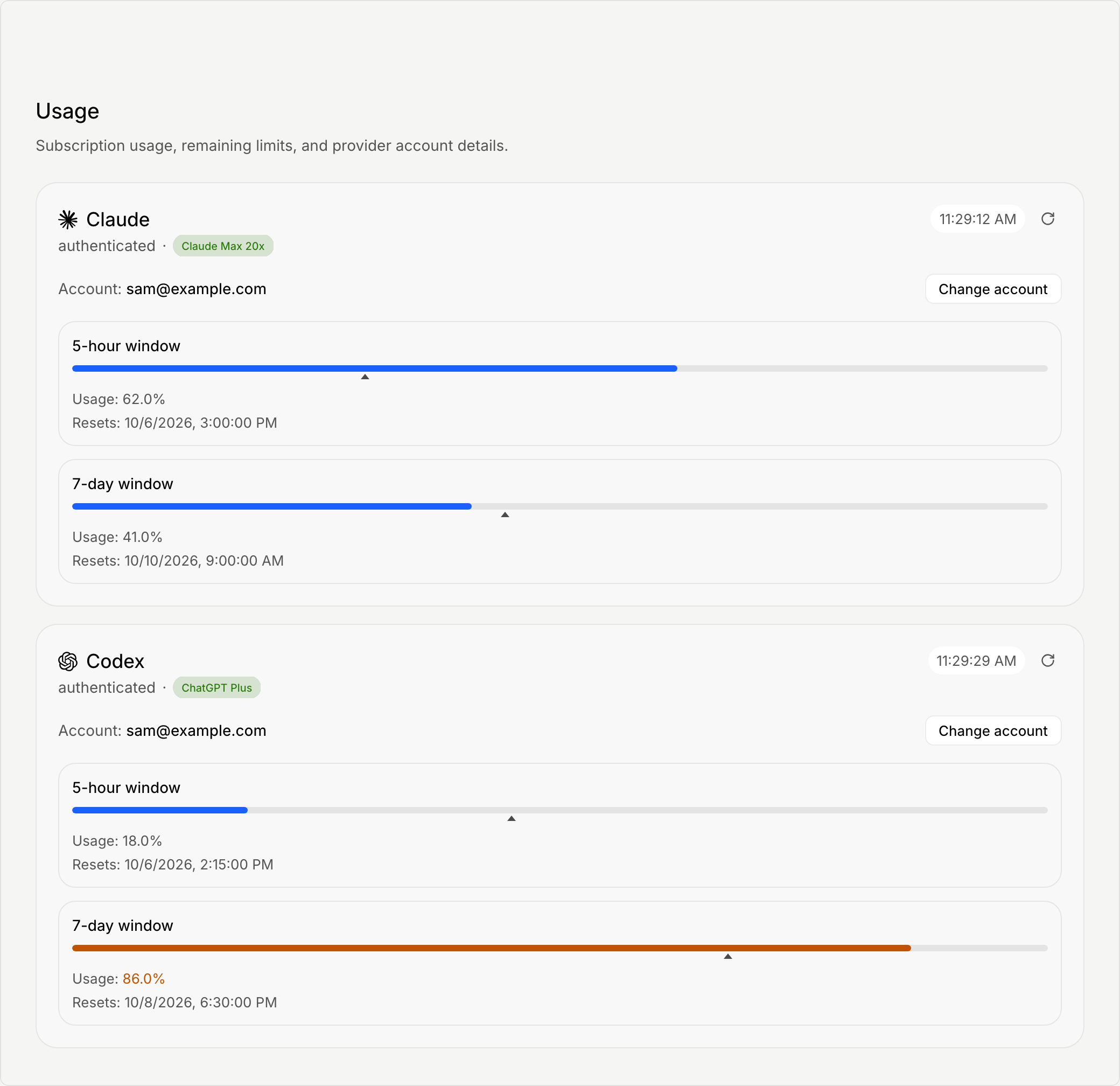
Settings also shows an AI Credits row under Models, with a status of Available, No spendable credits, or Unable to check.
Get AI credits
Select Get AI Credits or Get credits wherever the app offers it. The app opens billing in your browser. Finish there, then return to the app. It picks up new credits as soon as they land. If it has not caught up, select Check again.
If you are part of an organization, your admin controls your spend quota. Ask them to increase it.
When you reach a provider limit
The chat shows Claude usage limit reached or Codex usage limit reached. You can choose:

- Use credits now to continue this chat on AI credits.
- Resume at reset to wait. The button shows the reset time when the app knows it, and the chat resumes automatically at that time.
- Always use credits to switch to credits whenever you reach a provider limit.
- Get credits if you have none.
Related
To connect or change a provider account, see Connect Claude, Codex, or a local model.